Shopify checkout hijack: how hacked Shopify apps sent buyers to a fake checkout
In October, hacked Shopify apps sent shoppers to a fake checkout. What happened, and a quick check to see if your store was affected.

Shopify is a known e-commerce platform that powers a lot of big brands. By itself, it is secure, but all the risk lies in the apps that other companies build for the platform. It takes just a single bad app to cost both buyers and sellers real money.
This month we saw exactly how that can happen. Roman Zipp, a software engineer, was buying a keyboard from mechanicalkeyboards.com.
At checkout, the logo looked wrong, his password manager filled card information into the ‘First name’ field, and the address was biliing[.]top rather than the store’s domain.
After some digging, he saw that there are a lot more stores affected in the same way, all because of a single Shopify extension that got compromised.
Despite developers saying they had removed the malicious code, merchants reported new cases through 17 October. That means there is still risk. Here is how to check if your store was affected.
How the attack worked
- A large number of Shopify applications which add features to your store (such as product options, wishlist buttons, and upsell options) include a custom code setting section that pulls the code from the app developer's servers each time a page is loaded.
- Attackers gained access and added malicious code.
- The code changed the Checkout button to send shoppers to a fake checkout.
- Shoppers were then sent to the real checkout, making the fake step harder to spot.
Roman traced the redirect back to Hulk Product Options, which was developed by HulkApps, and found that the settings included custom code containing a function called "hijack".

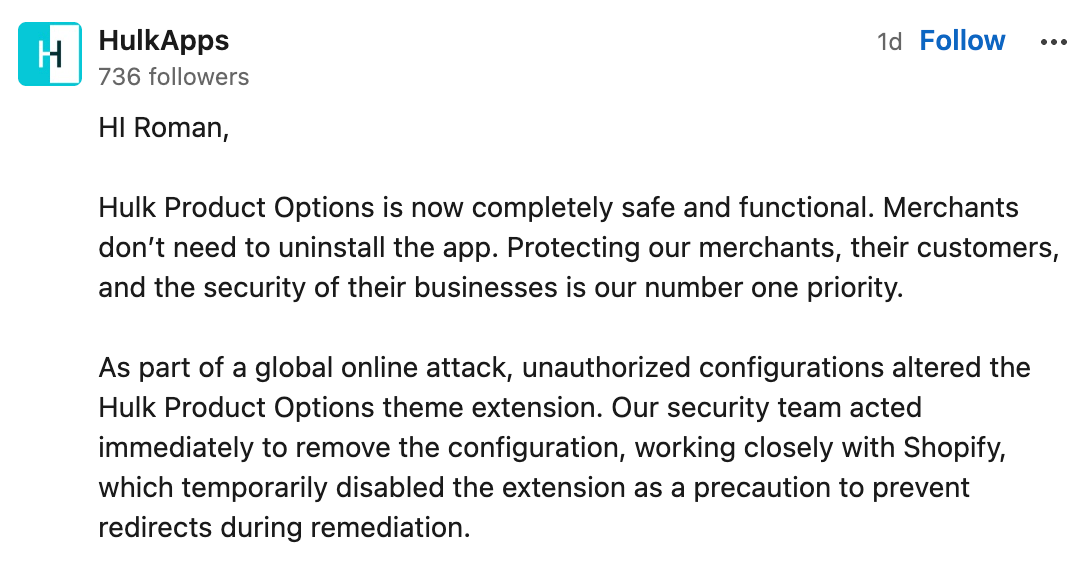
HulkApps stated on LinkedIn, replying to Roman directly, that "since it was part of a widespread online attack, unauthorized configurations had altered the Hulk Product Options theme extension," and that Shopify "had temporarily disabled the extension as a precaution in order to prevent redirects while carrying out the remediation." Selleasy, another Shopify extension, was affected in the same way three days later.
Selleasy said attackers accessed an internal tool and added malicious code to some stores’ app settings.
During the week, further reports came in: Swym Wishlist Plus, Privy and Boost's search app were all named. One merchant's store was hit twice, through Swym and then through Boost's app. Although none of the three companies had issued a statement by 18 October, their apps had been removed from the Shopify's App Store as well.
| Date (2026) | What happened |
|---|---|
| 10 October | Roman reaches the fake checkout through Hulk Product Options; it is gone from that store the same afternoon, 16 minutes after Shopify escalated it |
| 13 October, 07:47 to 15:00 UTC | The Selleasy attack runs; creators says Shopify confirmed the code was gone by 15:40 UTC |
| 14 October | Shoppers are sent by a merchant's shop to account-confirm[.]top, the code containing Swym identifiers (reported) |
| 15 October | HulkApps confirms "unauthorized configurations"; five to seven merchants have told Roman about the same hijack |
| 16 October | Hulk Product Options, Swym Wishlist Plus and Selleasy are off the App Store |
| 17 October | Merchants report the same redirect through Privy and Boost (reported); Shopify tells iTnews "When an app falls short, we act" |
| 18 October | Privy and Boost AI Search & Filter are off the App Store too |
Why Shopify's locked checkout did not stop it
Back in 2024 Shopify switched off checkout.liquid, the previous method by which Shopify Plus stores could add their own code to the checkout page. From that point on, apps can only access those pages via Shopify's own sealed-off blocks.
But this time the attack is one click earlier, in the Checkout button, where apps still run code. Sansec wrote about the same trick in December 2020: as hosted platforms "do not allow custom JavaScript on their checkout pages", a script for stealing card details displayed "a fake payment form" right before the actual one. A secure checkout cannot protect shoppers who are redirected before they reach it.
The code hid in app settings, so theme backups wouldn’t reveal it. It also ran only once per session, meaning a second test could look normal.
Installed isn't the same as active
What matters with these apps is what is actually running on your storefront, not just whether they are installed. One of our clients runs Shopify and had one of these apps.
Checking it myself, all that was active was its tracking pixel, a small tag that reads checkout data but can't change the page or send anyone elsewhere. The component capable of running the attack code was disabled, and their checkout tested clean: the real Shopify checkout, nothing out of place.
Of course, a disabled component can be switched back on. Uninstall apps you no longer use.
What the attackers' domains tell us
BehindLink checks domain registrations and security certificate records daily to find fake stores.
On the 17th and 18th of October we examined all four of the attack domains that have so far been named, all of which were purchased through the same domain seller, NameSilo, and had the same DNS configuration.
- The domain names biliing[.]top and order-confirm[.]top were registered in the same minute on 13 September. The following morning a single certificate was issued for both of them, suggesting the domains may be connected.
- The first certificate for checkout-confirm[.]top was issued on 9 October and was shared with biliing[.]top. Two further ones came on 11 October, during the period of the HulkApps clean-up and the Selleasy attack.
- The certificate for account-confirm[.]top, which was the address mentioned in the report of 14 October, had already been issued hours before the merchant became aware of it, and the address was registered four days after Roman had published the first three.
- All four were suspended by 18 October. We don't know exactly when.
This looks like it was registered almost four weeks before Roman detected the attack, with new domains used when each old one got flagged.
Check your store in two minutes
Here is how you can check if you are affected by the Shopify checkout hijack:
- Make sure that all the private windows are closed, then open a new one and put something in the cart even though you aren't going to buy anything.
- Press the Checkout option in the cart drawer (that is the panel which slides out). If there is no drawer then go to step 5.
- Check the address bar up to the first forward slash. It should be exactly your store's own domain (or yourstore.myshopify.com if you don't have a domain), followed by /checkouts/, or it should be exactly checkout.shopify.com or shop.app. A domain that merely contains your store's name, like yourstore.com.secure-pay.top, is not yours.
- If there's anything else, then stop. Don't type anything or allow your password manager to fill in the field. Take a screenshot of the page making sure that the address bar is visible and look at the section headed "If your store was hit".
- Close the private windows, open a new one and start again from the full cart page. Do the same thing on your phone.
A checkout test may miss the problem. Check your app settings too:
- Go to Settings, and under Apps and sales channels, compare your list with the apps already named: Hulk Product Options and Selleasy (as confirmed by the companies themselves), Qikify's Sticky Add to Cart and Mega Menu, and Swym Wishlist Plus, Privy, Boost AI Search & Filter and Hextom (these last ones were only mentioned in the reports). If you have the notice, request it from the manufacturer. Since this list continued to grow up to 17 October, you should check all the apps on your storefront, not just the ones mentioned.
- Check every custom code and text field, even if they look simple (for example, Qikify's July code was in fields named "Empty cart text" and "Item title"). Ask the developer about anything you don’t recognise. The fact that a field appears clean now does not serve as proof since the code might have been deleted already.
- Enable two-step login for Shopify staff and for any app that has its own login system. Although it wouldn't have prevented the Selleasy incident (since the code had entered via an internal tool, not a password), it does close that particular door.
Signs that something is wrong include a customer saying that the checkout appeared different, recent buyers experiencing card fraud, or a password manager displaying card details in a name field.
If your store was hit
- Password-protect the store while you investigate.
- Save a copy of any code in the app's settings, then remove the app.
- Request the exact time frame from both Shopify and the developer of the app.
- Warn customers who have placed an order or left their checkout page during that time period that their card details and contact information may have been exposed. Advise them to monitor their bank accounts. Also publish a website notice, as some visits may not have been recorded.
- You should check if you are required to report it. In the EU a personal data breach usually has to be reported to the data protection authority within 72 hours of becoming aware of it, except when it is unlikely to place people at risk. Other countries have their own regulations, although this should not be regarded as legal advice.
- If the fake address is still active, then report it to the registrar, Google Safe Browsing, and to Spamhaus. Our take-down guide shows how.
Where BehindLink fits
While we can't monitor inside of your store, this kind of attack ends the way all fake shops do: by having a page that isn't yours take your customer's card details. We find fake payment pages and work to get them removed. We check several signs before sending an alert or takedown notice, and review every case daily.
Every app with a custom code box is someone else's hand near your Checkout button. Keep the ones you use, and run the test above after every install, then again every week or so.
FAQ
Was Shopify hacked?
There is no information indicating that Shopify's own checkout process was compromised. The code entered via the apps and the counterfeit pages were operated from third parties. Apps in its App Store must comply with its security and privacy requirements, and Shopify takes action when it detects a malicious one.
I have one of these apps. Was my store affected?
Not necessarily. Selleasy says "a number of stores" were hit. Only the app developer can tell you whether yours was one.
Would my customers have detected it?
Others did, for example Roman and the customer of WAGD. However, the fake page resembled Shopify's actual checkout page and then redirected the shoppers to the real one. Less cautious ones might not notice it.
May I still use these apps?
On 18 October, all the affected apps had been removed from the App Store. HulkApps and Logbase announced it is safe to use the apps. However, Shopify's own listing contradicts this statement at the moment.